Some clients expect a quote that reads like a proper letter: your letterhead, a subject line, a short introduction, a table of items and clear terms. Word is the natural tool for that. It lets you brand the page, adjust the wording for each client and send a clean PDF.
This free template gives you the layout, so you don't build one from scratch for every job. It suits contractors, installers and service firms in India, Australia, New Zealand and the UAE. Use the form on this page to get your free copy.
What is a quotation format in Word?
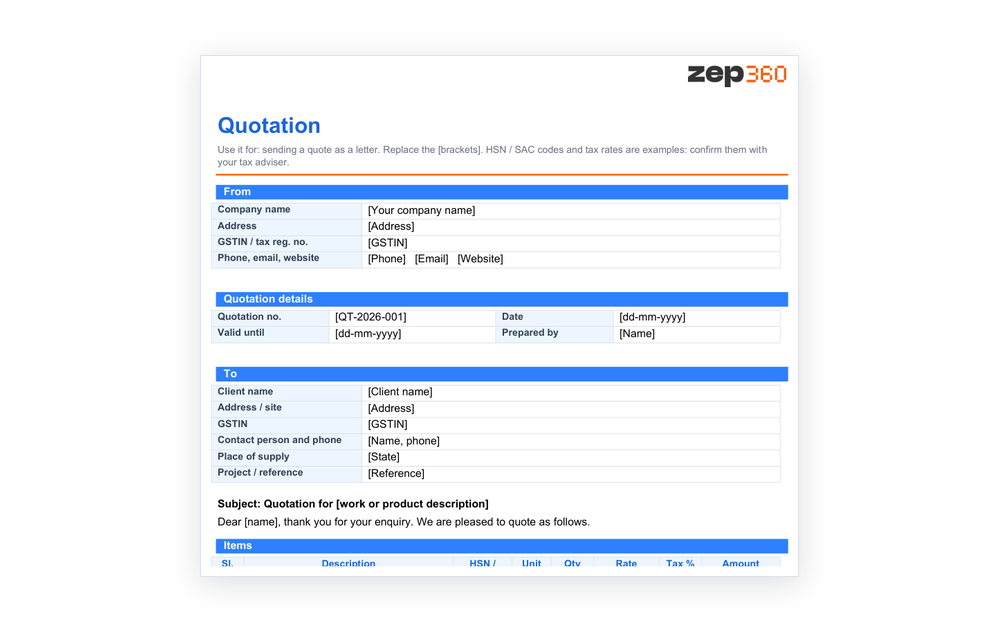
A quotation format in Word is a document layout for pricing a job as a formal letter. It holds your details, the client's details, a subject line, an items table with tax and totals, payment terms and a signature block. You edit the text and send it.
 Word works best when each quote needs its own wording: a tailored introduction, a note about site conditions or a special warranty. If your quotes are mostly numbers that change often, the quotation format in Excel calculates the totals for you.
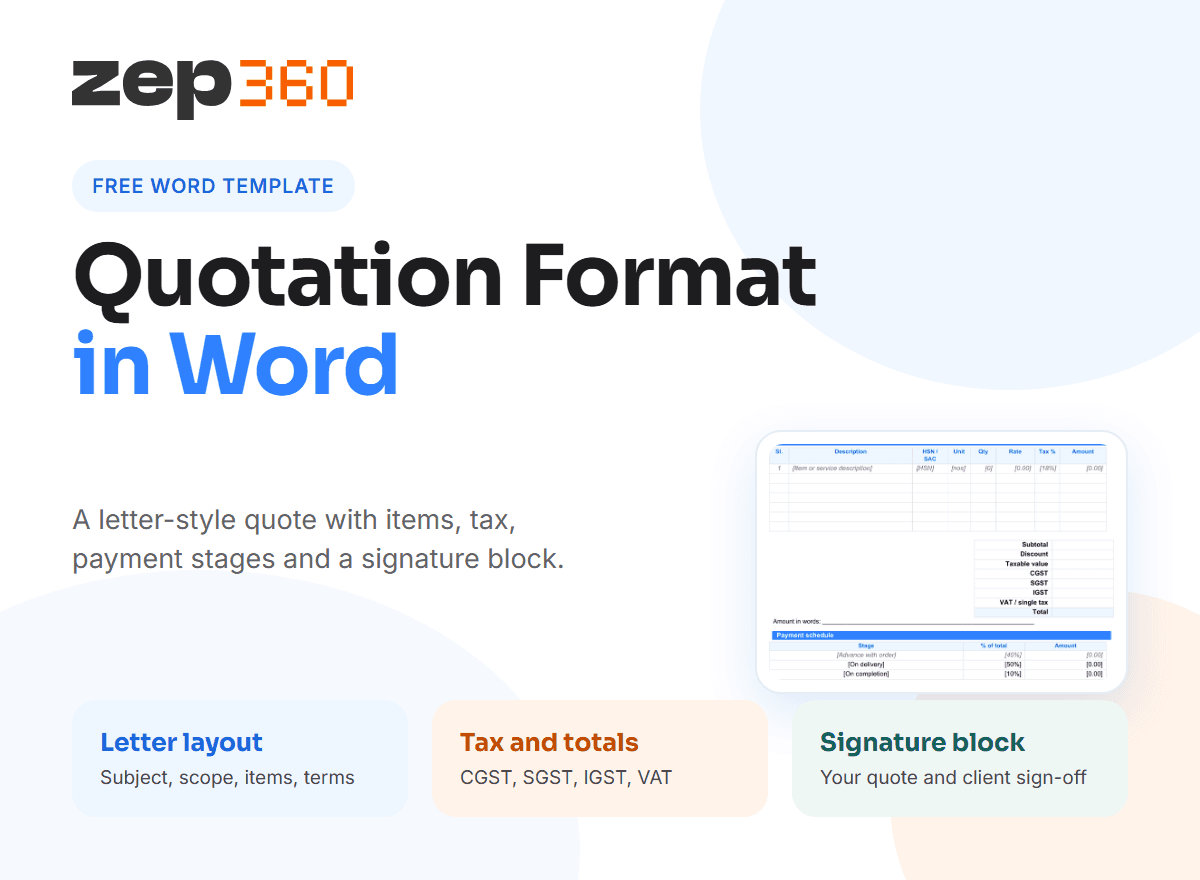
What is inside the Word template
The document runs to two pages and uses shaded section bars, so it looks tidy from the first send. Everything in square brackets is a placeholder for you to replace.
- From and quotation details: your company, GSTIN, phone and email, plus the quote number, date and validity.
- To block: the client's name, address, GSTIN, contact person and place of supply.
- Subject line and introduction: one line naming the work and a short, polite opening paragraph.
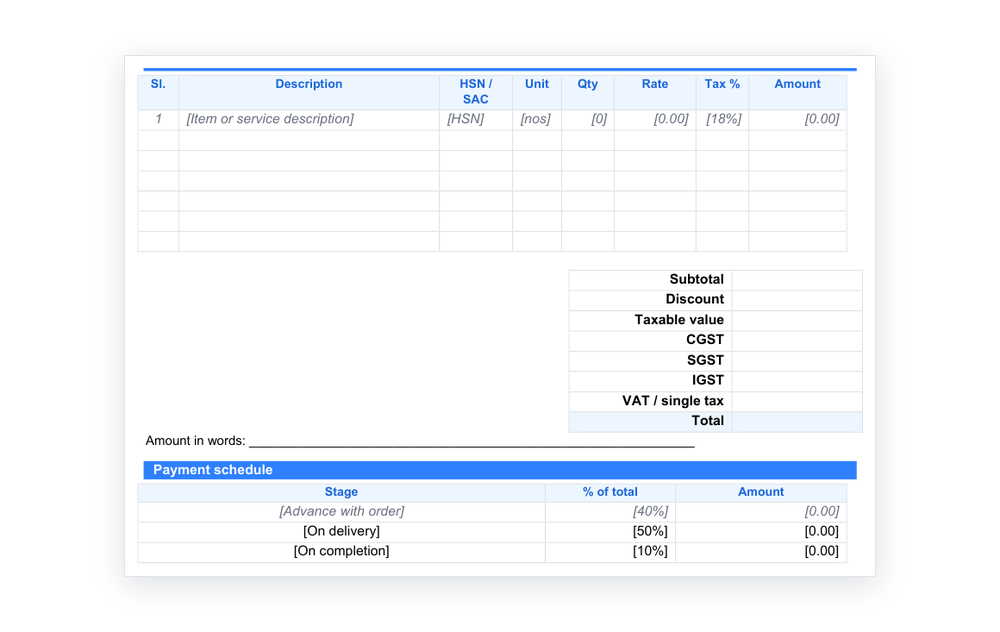
- Items table: serial number, description, HSN or SAC code, unit, quantity, rate, tax and amount.
- Totals block: subtotal, discount, taxable value, CGST, SGST, IGST, VAT and total, plus a line for the amount in words.
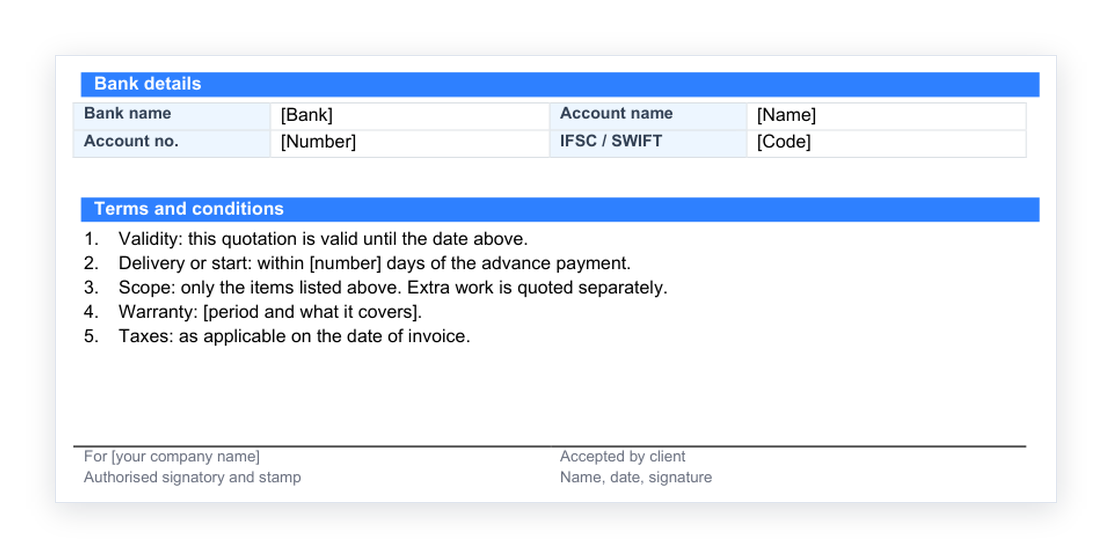
- Payment schedule, bank details and terms: stages with percentages, where to pay, and numbered terms.
- Signature block: one side for your authorised signatory and one for the client's acceptance.
The tax codes and rates in the placeholders are examples. Confirm yours with your tax adviser before you send a quote.
How to write a quotation letter
The words around the table matter as much as the numbers. A good quotation letter format is short and specific.
- Open with a subject line that names the work, such as "Quotation for 10 kW rooftop solar installation at Plot 14".
- Thank the client for the enquiry in one sentence and refer to the site visit or call.
- Summarise the scope in two or three lines before the table, so the client sees what the prices cover.
- Put the figures in the table, one item per row, with tax and total at the bottom.
- Close with the terms, validity and a clear next step, such as "Please sign and return a copy to confirm."
Avoid long paragraphs of sales language. Clients read the subject, the scope, the total and the validity date, so make those four easy to find.
A simple quotation format word clients can follow
A simple quotation format has fewer rows and plain headings. For a small supply, you can delete the payment schedule and keep the items table, the total and the terms. For a larger job, keep every block. In both cases, use the same fonts and headings on every quote, so your documents look like they come from one company.
Make the quote look professional
Word gives you more control over appearance than a spreadsheet, so use it.
- Add your logo to the header, and your address and registration numbers to the footer.
- Use styles, not manual formatting, so headings and body text stay consistent.
- Keep the table on one page where you can, by trimming long descriptions.
- Turn on Track Changes when a client negotiates, so both of you can see what moved between versions.
- Save as PDF before you send. A PDF keeps fonts and spacing fixed on any device, and the client cannot edit it.
Quotation format PDF: send it safely
 The editable Word file is your working copy. The PDF is what the client receives. In Word, use Save As or Export and choose PDF, then name it clearly, for example "QT-2026-014 Sharma Residence.pdf". Keep the Word version in a folder by client, so you can find and revise it later. If the client wants a change, edit the Word file, save a new version and send a new PDF.
What to include in every quotation
Whatever the format, a quote should cover the same essentials. The quotation guide explains the document in more detail.
- Your company details and tax number
- The client's name, site and contact
- A unique quote number and date
- A clear scope of work, including what is not included
- Line items with unit, quantity, rate and tax
- The total, payment terms and a validity date
- Warranty or guarantee terms, where they apply
A price built from detailed workings is a cost estimate. Keep the workings internal and show the client only the quoted rates. For the standard contract terms around payment and acceptance, IBM's overview of contract management is a useful read, and the GST rules are on the GST portal.
When Word quotes stop scaling
Word quotes are quick to start and slow to manage. Each quote is a separate file. Nobody sees which ones are awaiting a reply, rate changes mean opening files one by one, and a signed copy lives in someone's inbox.
In ZEP Sales, the same flow runs in one place. Your team captures the enquiry, schedules the site survey and builds the quotation from the survey data. Every quote keeps its version history and status. A signed quote then carries into ZEP Projects. To see it with your own quote layout, book a ZEP360 demo.
More free templates
 If you quote one trade, use its dedicated version: solar, interior, construction, painting, electrical or pest control. For a spreadsheet that does the maths, use the quotation format in Excel. The full guide to quotation format links to everything.
Frequently Asked Questions
Is there a free quotation format in Word?
Yes. This page has a free quotation format in Word that you can edit. It includes your details, the client's details, an items table with tax, totals, a payment schedule, bank details, terms and a signature block.
How do I write a quotation letter format in Word?
Start with a subject line, add a short introduction, summarise the scope, show the items and totals in a table, then close with terms, validity and the next step. Our template already follows this order, so you fill in the brackets.
What is the difference between a quotation format in Word and Excel?
A Word quotation reads like a letter and suits a tailored, formal quote. An Excel quotation calculates totals and tax for you and suits quotes that change often. Many firms keep both and choose per job.
Can I send a quotation format PDF instead of Word?
Yes, and you should. Edit the Word file, check the figures, then export a PDF to send. The PDF keeps the layout fixed on any device and stops the client changing a rate by accident.
Should a price quotation letter format include tax?
Yes. Show the taxable value, then each tax such as CGST, SGST or IGST, then the total. A clear tax breakdown avoids disputes and matches the invoice you raise later.
Get complete visibility of every project site.
Switch to ZEP360 and discover a unified way to manage your business.
Book a Demo