A quote that arrives late, or with a wrong total, can lose the job before you start work. Most contractors fix this with a spreadsheet, but a spreadsheet only helps if the layout is right. A good one holds your company details, the client's details, every line item, the tax on each line and the payment terms. It then adds the totals without a calculator.
This free template does that. It works for any product or service business in India, Australia, New Zealand and the UAE, and it handles CGST, SGST, IGST or a single VAT line. Every figure in the totals is a formula, so you only type items, quantities and rates. Use the form on this page to get your free copy.
What is a quotation format in Excel?
A quotation format in Excel is a spreadsheet layout for pricing a job before the client commits. It holds your details, the client's details, each line item with quantity, rate and tax, and it calculates the total. Because the formulas are built in, every quote adds up the same way.
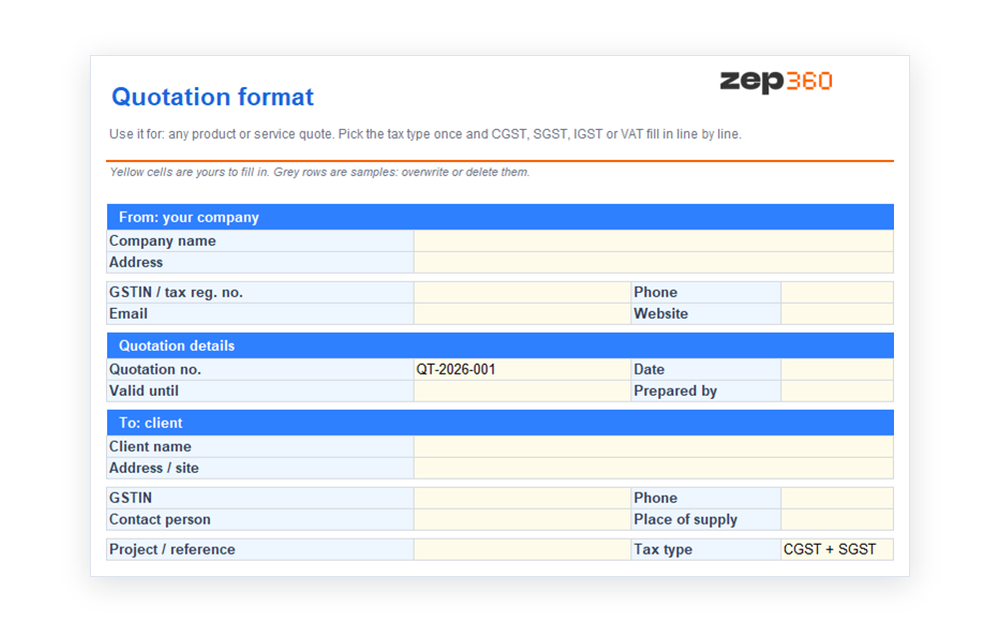 Excel suits quotes that change often. You adjust a rate or a quantity, and the subtotal, tax and total update at once. If you send quotes as formal letters, the Word version fits better, and many firms use both.
What is inside the free template
The workbook is one sheet with clear blocks, so a new team member can fill it in without training. Yellow cells are for you, and the totals are formulas.
- Company and client blocks: your name, address and GSTIN or tax number, then the client's name, site, GSTIN and place of supply.
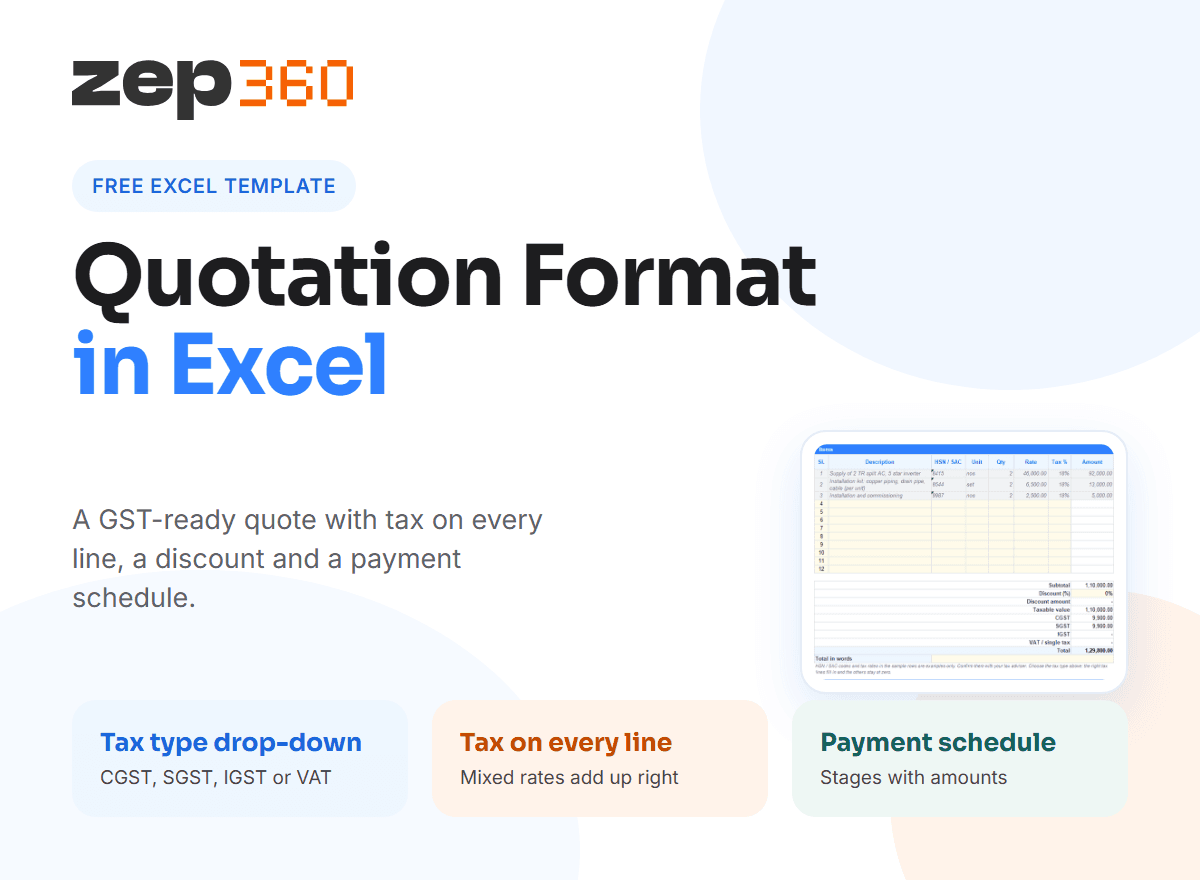
- Tax type drop-down: choose CGST and SGST, IGST, a single VAT or GST line, or no tax. The right tax lines fill in and the others stay at zero.
- Line items: a description, HSN or SAC code, unit, quantity, rate and a tax rate on each line.
- Discount and totals: a percentage discount, the taxable value, each tax and the grand total, with a line to write the total in words.
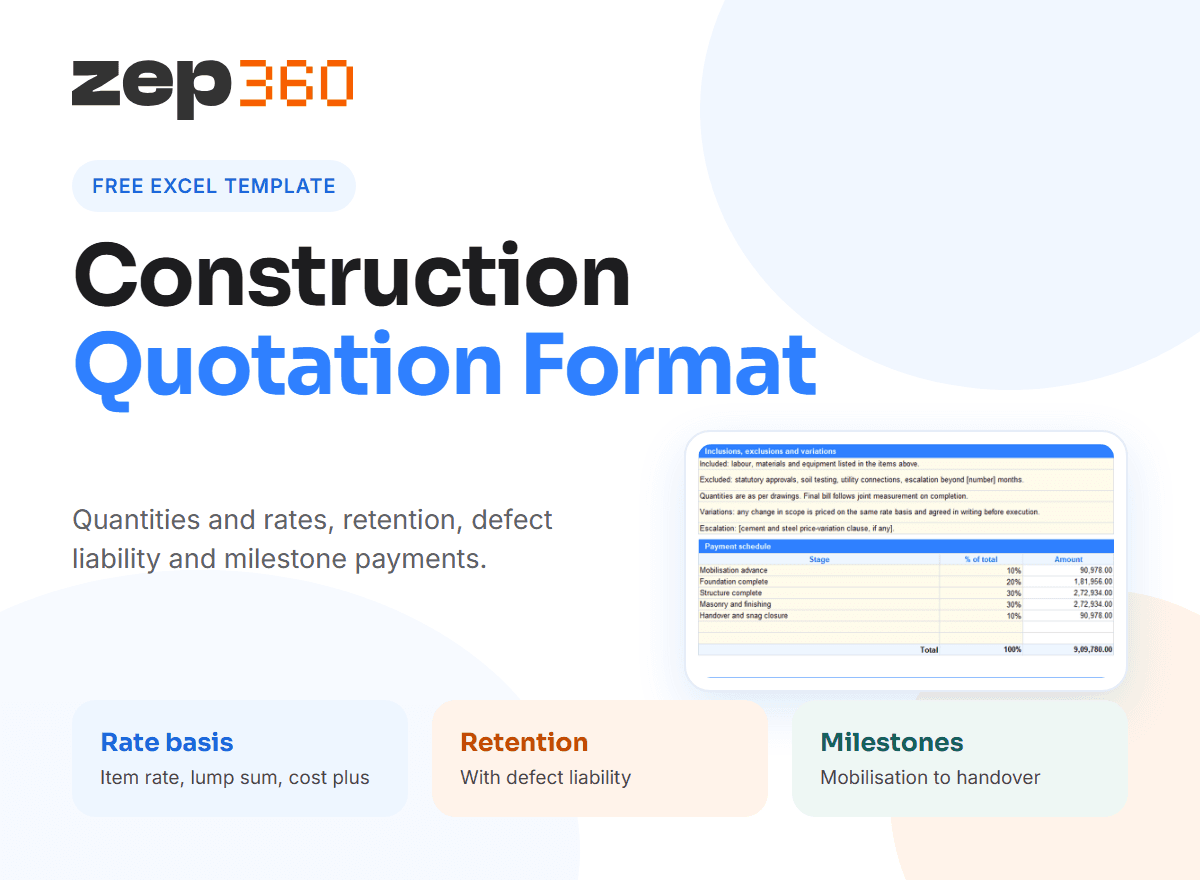
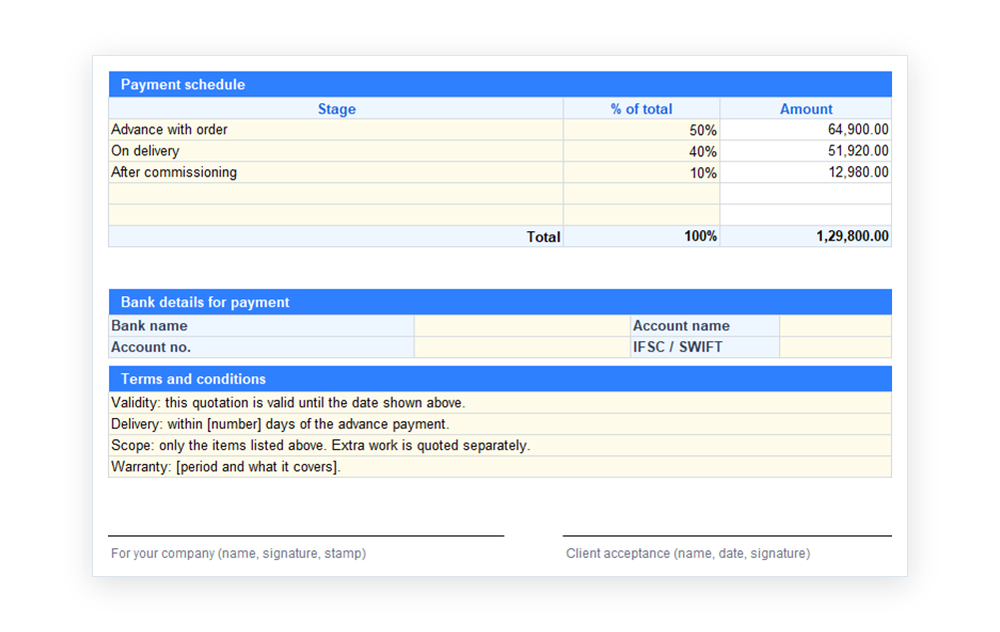
- Payment schedule: each stage as a percentage of the total, with the amount calculated.
- Bank details and terms: where the client pays, plus validity, delivery, scope and warranty lines you can edit.
The sample rows are grey so you can see the format. Overwrite or delete them. The tax rates and HSN or SAC codes in the samples are examples only, so confirm yours with your tax adviser.
How the GST quotation format works
India's tax rules decide which tax lines appear on a quote. For a sale inside one state, the tax splits into CGST and SGST. For a sale across states, it is a single IGST. In other markets, you may use one VAT or GST line. The official rules are on the GST portal and the CBIC website.
The template puts a tax rate on every line, not one rate for the whole quote. That matters because goods and services in one job often carry different rates. It adds the tax on each line, then splits it as CGST and SGST, or shows it as IGST, based on your drop-down choice. Choose the tax type once at the top and the rest follows.
A worked example
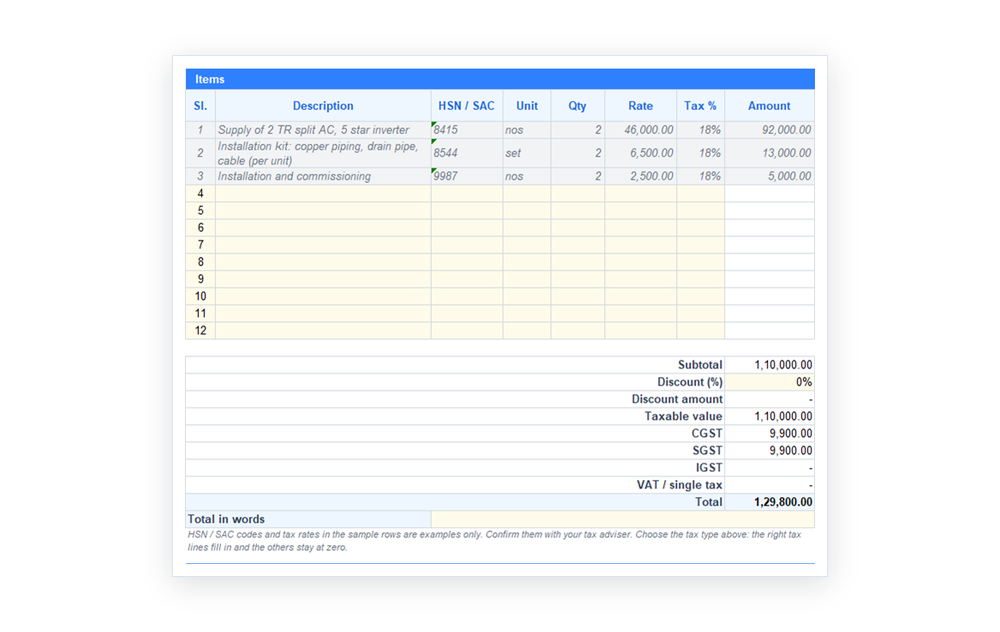 Say you quote two split ACs at 46,000 each, with an 18% tax rate and a within-state sale. Quantity times rate gives 92,000 as the taxable value. The template then shows CGST of 8,280 and SGST of 8,280, which brings the total to 108,560. Change the quantity to three and every figure updates. You never retype a formula.
Show the discount before tax
Keep the discount on its own line, before tax. The client sees the original price, the saving and the taxable value in order. That order also matches your invoice, so billing later is a copy of the quote and not a fresh calculation.
How to fill in the template
- Save a new copy named with the client and job, for example "QT-2026-014 Sharma Residence".
- Enter your company details once, and keep a master copy with them already filled in.
- Choose the tax type, then list each item with its unit, quantity, rate and tax rate.
- Set the discount and check that the payment schedule adds up to 100%.
- Write the validity date and any exclusions in the terms.
- Save the file as a PDF before sending, so a figure cannot change by accident.
For a master copy your team shares, use Review and Protect Sheet in Excel. Only the yellow cells can then be edited, and the formulas stay safe.
Number and track your quotes
Give every quote a number, such as QT-2026-014, and write it on the file name, the quote and any follow-up. When a client revises the scope, save a new version, for example QT-2026-014 v2, and keep the old one. You can then show exactly what changed and when. A simple log, with the date sent, the client, the value and the status, tells you which quotes need a follow-up call this week.
Make every quote complete
A complete quote answers four questions before the client asks them. What exactly do I get? How much will it cost, with tax? When do I pay? How long is this price valid?
Write the scope in plain words. A clear scope of work protects you when a client later asks for an extra. If your price comes from detailed workings, keep those separate as a cost estimate and show only the final rates on the quote. The quotation guide explains how a quote differs from an estimate and an invoice.
Common mistakes in a quotation
- One tax rate for everything: mixed rates then add up wrong.
- No validity date: the client holds your price open for months.
- A vague description: "AC work" can mean three different jobs.
- No payment schedule: you wait for money that was never agreed.
- Editable files sent to clients: a rate gets changed in transit.
Simple quotation format or detailed?
A simple quotation format, with a few lines and one total, suits a quick repair or a small supply. A detailed one, with stages, exclusions and bank details, suits an installation. This template handles both. For a small job, fill in three lines and leave the rest blank. For a bigger job, use the payment schedule and the terms.
If you quote one trade often, use a trade version. We have versions for solar, interior, construction, painting, electrical and pest control work. Each adds the calculations that trade needs.
When a spreadsheet stops being enough
 A spreadsheet works for a handful of quotes a month. As volume grows, versions pile up in email, nobody sees which quote is waiting for a reply, and a rate change means editing every file by hand. A survey in 2021 reported that, on average, 39% of tradespeople worldwide spend more than 12 hours a week on paperwork.
In ZEP Sales, your team captures the enquiry, schedules the site survey and builds the quotation from the survey data. Each quote keeps its version history and status, and a signed quote carries into ZEP Projects as a project. To see it with your own quote layout, book a ZEP360 demo.
More free templates
This template is part of a set. Read the full guide to quotation format for every quotation template, or open the quotation format in Word for a letter-style quote.
Frequently Asked Questions
Is there a free quotation format in Excel?
Yes. This page has a free quotation format in Excel with line items, a tax rate on each line, a discount, a payment schedule and bank details. It calculates CGST, SGST or IGST from one drop-down, and you can edit it freely.
How do I make a GST quotation format in Excel?
Add a tax rate to each line item, then let a drop-down choose CGST and SGST or IGST. Show the taxable value, each tax and the total. Our free template does this already, so you only enter items and your own tax rates.
What should a quotation format in Excel include?
Include your details, the client's details, a quote number and date, line items with unit, quantity and rate, tax, the total, payment terms, validity and exclusions. Add bank details so the client knows where to pay.
Can I use this business quotation format for any job?
Yes. The generic template suits any supplier or contractor. If you price solar, interior, construction, painting, electrical or pest control work, use the matching trade version, because it adds the calculations that trade needs.
How do I send a quotation from Excel?
Fill in the template, check the totals, then save the file as a PDF and send it with a short covering email. A PDF keeps the layout fixed, so the client sees exactly what you priced.
Get complete visibility of every project site.
Switch to ZEP360 and discover a unified way to manage your business.
Book a Demo