Painting quotes look easy until the area is wrong. Measure too little and you lose money on the job. Measure too much and the client finds a cheaper painter. Most arguments about painting bills come back to one number: the square feet that were actually painted.
This free painting quotation format fixes that number first. A built-in area calculator turns room sizes into wall and ceiling areas, and those areas feed the quote automatically. It suits painting contractors and finishing teams in India, Australia, New Zealand and the UAE. Use the form on this page to get your free copy.
What is a painting quotation format?
A painting quotation format is a standard layout for pricing a painting job. It lists each surface with its area and rate, states the paint brand, coats, primer and putty, adds tax, and sets payment terms and warranty. A good one also shows how the area was measured.
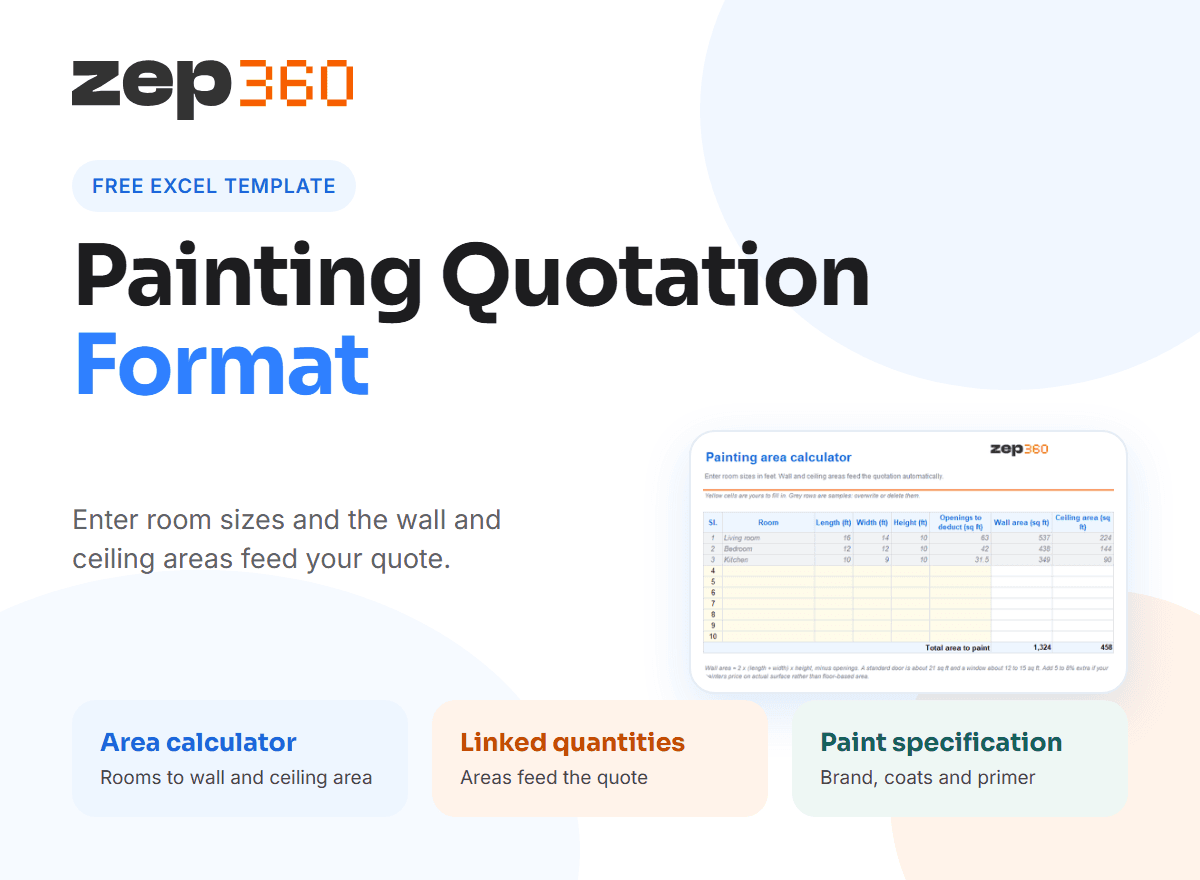
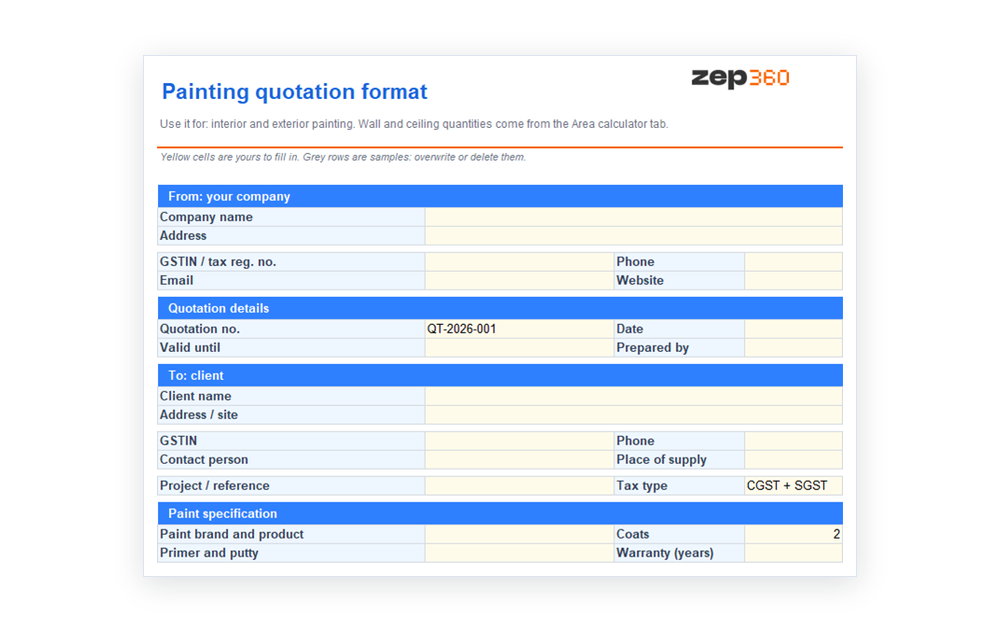 The template is an Excel workbook with two tabs: the quotation and the area calculator. Totals, tax and areas are formulas, so a changed room size updates the quote at once.
What is inside the template
- Paint specification: brand and product, number of coats, primer and putty, and warranty in years.
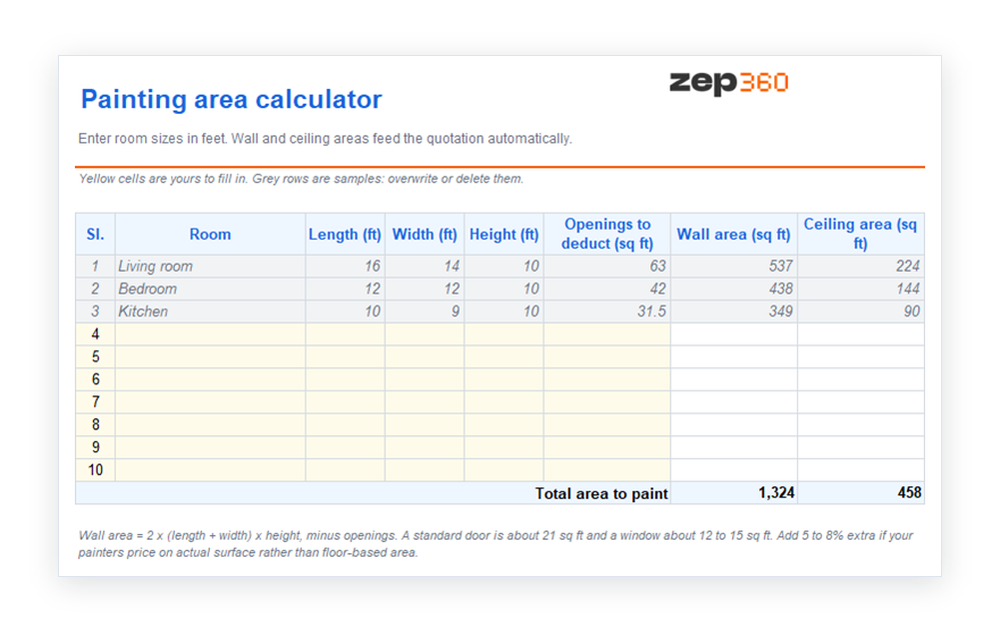
- Area calculator tab: room name, length, width, height and openings to deduct, with wall and ceiling areas calculated.
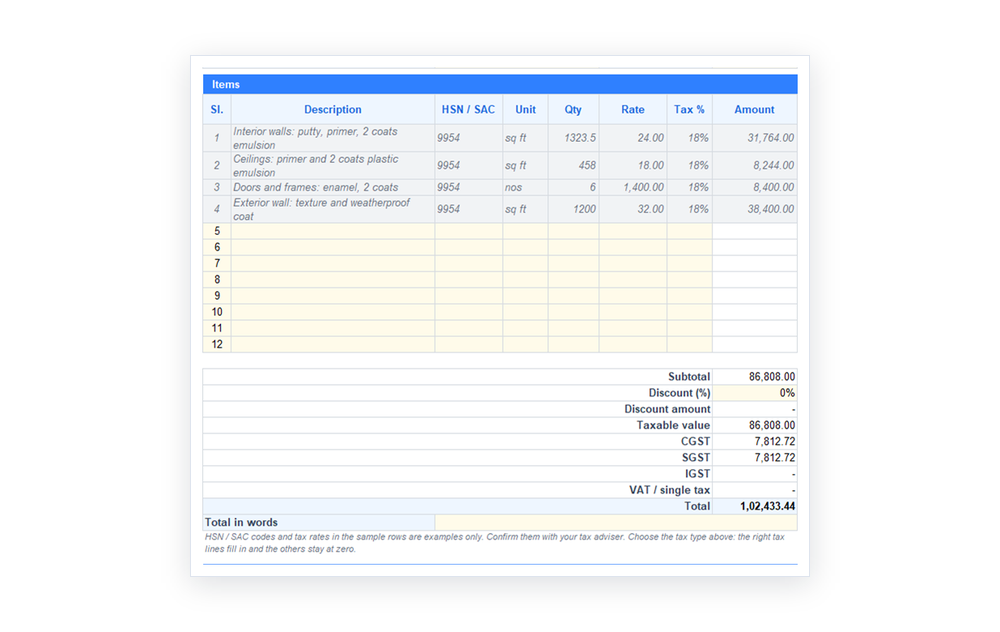
- Items: interior walls, ceilings, doors and frames, and exterior walls, each with unit, quantity, rate and tax.
- Linked quantities: the wall and ceiling lines pull their quantities from the calculator.
- Payment schedule and terms: an advance, a stage at 75% completion and handover, with inclusions and exclusions.
The sample rows and rates are examples only, so replace them and confirm tax with your adviser.
How the area calculator works
Enter each room's length, width and height in feet. For openings, enter the total area of doors and windows you will not paint. The sheet then applies two simple formulas.
- Wall area equals two times the sum of length and width, times the height, minus the openings.
- Ceiling area equals length times width.
For example, a room 16 ft by 14 ft with a 10 ft height gives 2 × (16 + 14) × 10 = 600 sq ft of wall. Take away 63 sq ft for a door and windows, and the paintable wall is 537 sq ft. The ceiling is 16 × 14 = 224 sq ft. The sheet adds all rooms and passes the totals to the quote.
Deduct openings sensibly
 A standard door is roughly 21 sq ft, and a window is often 12 to 15 sq ft, but sizes vary, so measure on site. Some painters deduct openings in full, and others deduct half, because the frame and reveal still need paint. Choose one rule and state it in the quote, so the client knows how the area was measured.
What a painting quotation must include
- Surfaces covered: interior walls, ceilings, doors, grills and exterior walls, listed separately.
- Preparation: putty, sanding, crack filling and primer, because prep drives the cost.
- Paint and coats: the brand, product line, number of coats and the finish, such as matt or sheen.
- Access and protection: scaffolding, masking and floor covering.
- Rate and unit: a rate per square foot, or per door or window for joinery.
- Exclusions: waterproofing, plaster repair beyond minor cracks and furniture shifting.
- Warranty and touch-up: what you fix, and for how long.
A short site survey before the quote lets you check wall condition, damp and height, and it prevents extras later. Write the scope clearly, as our scope of work guide explains.
Price by area, by room or by coat
A rate per square foot suits large, regular areas. A rate per room suits small flats where the client wants one number. Doors and windows are usually priced per piece. The template supports all three, because every line has a unit and a rate. Whichever you use, keep the rate and the area visible, so the client can check the maths.
How to use the template
 Visit the site and measure each room, noting the height and the openings.
- Enter the rooms in the area calculator tab.
- Fill in the paint specification and choose the tax type.
- Check the linked wall and ceiling quantities, then add doors and exterior lines.
- Set the payment stages, for example an advance, 75% completion and handover.
- Save a PDF and send it with a short covering note.
Common painting quoting mistakes
- Guessing the area from the floor size: walls are often more than twice the floor area.
- Ignoring prep: a cheap quote that skips putty leads to extras.
- Vague paint details: "good paint" can mean three price points.
- No coat count: the client expects three coats and you priced two.
- No exclusions: waterproofing and plaster repair get assumed.
Tax rules for the quote are on the GST portal and the CBIC site. A 2021 survey reported that, on average, 39% of tradespeople worldwide spend more than 12 hours a week on paperwork, so a ready format saves real time.
From template to a sales workflow
A spreadsheet prices one job at a time. When enquiries pile up, the survey, quote and follow-up need one home. In ZEP Sales, the team captures the enquiry, schedules the site survey and builds the quotation from the survey data. Each quote keeps its version history and status, and a signed quote carries into ZEP Projects. Book a ZEP360 demo to see it with your own painting rates.
More free templates
For a general layout, use the quotation format in Excel. For related work, see the interior quotation format and the construction quotation format. The full guide to quotation format links to every template.
Frequently Asked Questions
Is there a free painting quotation format?
Yes. This page has a free painting quotation format in Excel with an area calculator. It calculates wall and ceiling areas from room sizes, feeds them to the quote and adds tax and totals.
How do I calculate area for a painting contractor quotation?
Wall area is two times the sum of length and width, times the height, minus openings. Ceiling area is length times width. Add all rooms, then multiply by your rate. The template does this for you.
What should a rate quotation format for painting include?
Include the surfaces, the area for each, the rate per unit, the paint brand and coats, preparation, access, exclusions, tax, payment stages and warranty. Show the area workings so the client can check them.
How do I write a wall painting quotation for a small flat?
List the rooms, use the area calculator for walls and ceilings, add doors and windows per piece, then show one total with tax. A per-room rate also works for small flats.
Can I use this price quotation format for exterior painting?
Yes. Add an exterior line with its own area and rate, and include scaffolding or access in the scope. Exterior work often needs a different primer and coat count, so state both.
Get complete visibility of every project site.
Switch to ZEP360 and discover a unified way to manage your business.
Book a Demo