An interior client thinks in rooms. They want to know what the kitchen costs, what the wardrobes cost and what the living room adds. A quote with one long list of items, or a single total, makes them guess, and guessing usually ends in a request to cut the price.
This free interior quotation format groups every item by room, adds a materials and finish specification, and sets out the payment stages. It suits interior designers, fit-out contractors and furniture makers in India, Australia, New Zealand and the UAE. Use the form on this page to get your free copy.
What is an interior quotation format?
An interior quotation format is a standard layout for pricing an interior project room by room. It lists each item with quantity and rate, groups the cost by room, states the materials and finish, and sets payment stages, so the client sees what each space costs.
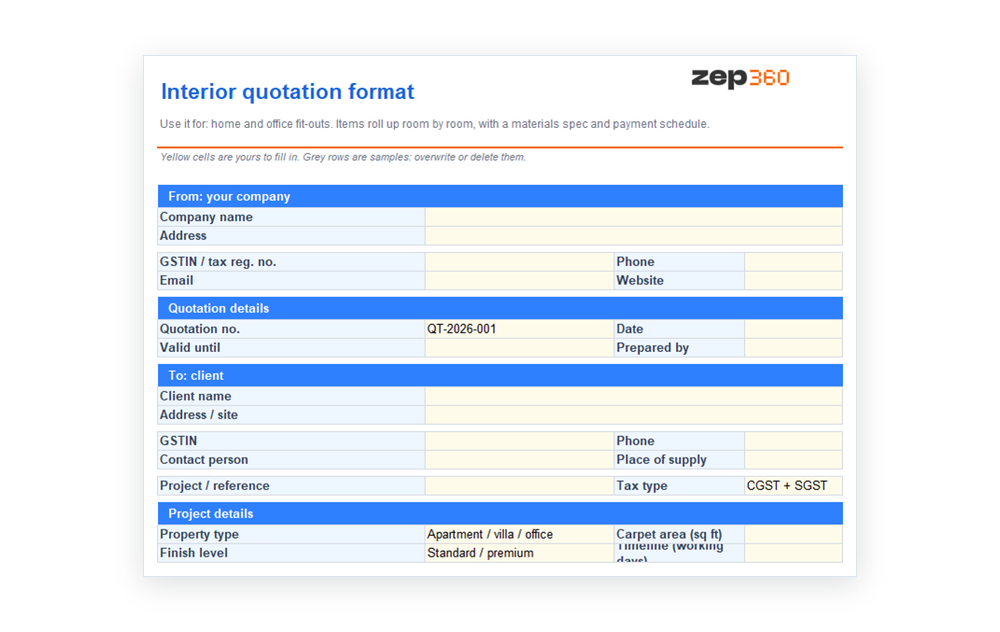 The template is an Excel workbook, so the room totals and the grand total are formulas. If you also send formal quotes as letters, see our quotation format in Word.
What is inside the template
- Project details: property type, carpet area, finish level and the timeline in working days.
- Items with a room column: each row has a description, the room it belongs to, unit, quantity, rate, tax and amount.
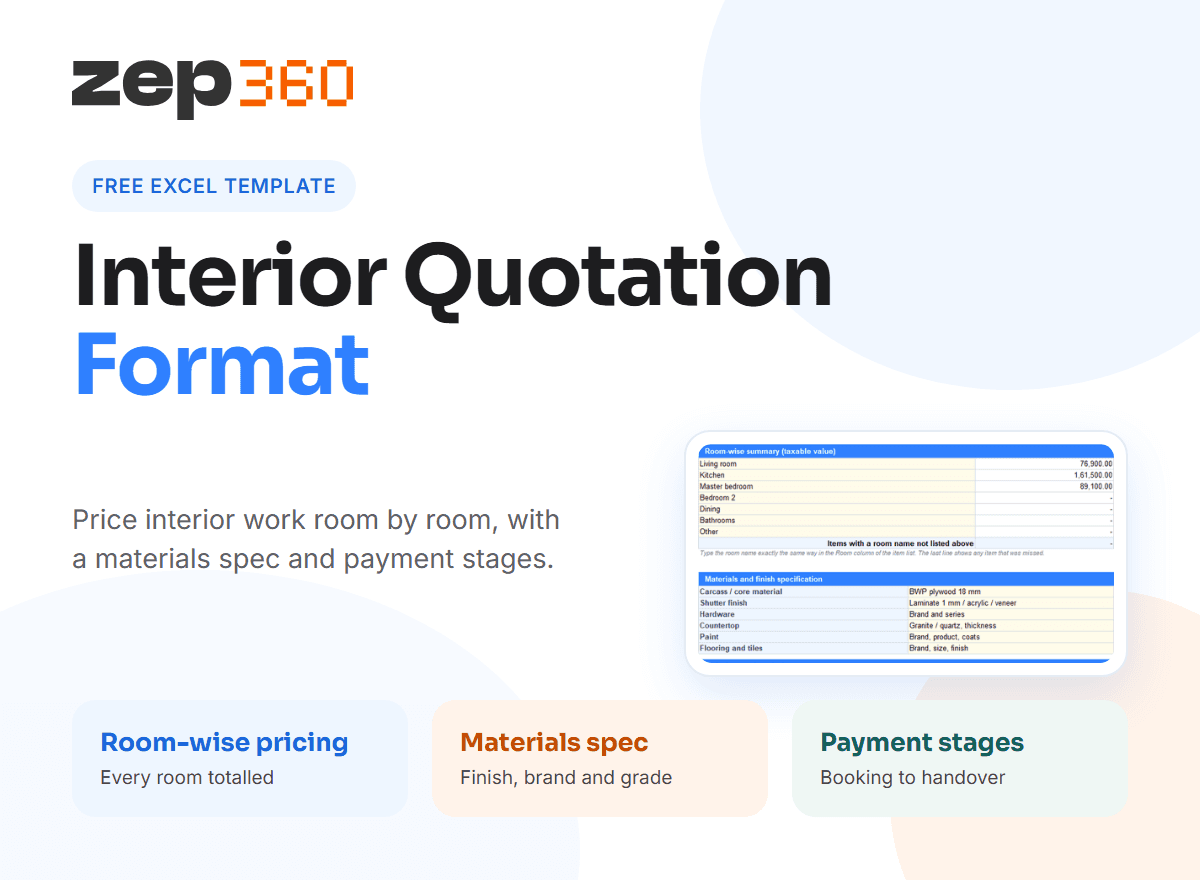
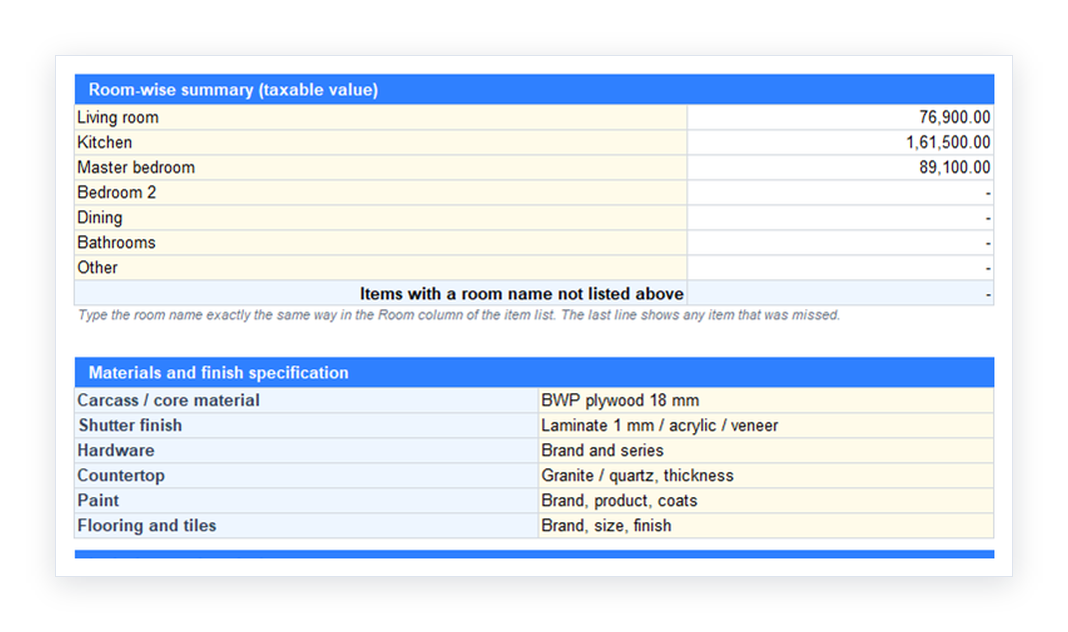
- Room-wise summary: a list of rooms, such as living room, kitchen and master bedroom, with the total for each one calculated from the item list.
- Materials and finish specification: carcass material, shutter finish, hardware, countertop, paint and flooring, each with a line for brand and grade.
- Inclusions and exclusions: what the price covers and what it leaves out.
- Payment schedule and terms: stages as percentages, with amounts, plus validity, timeline and warranty lines.
The sample rows show a living room, a kitchen and a wardrobe. The prices, tax rates and codes are examples only, so replace them with your own and confirm tax with your adviser.
How room-wise pricing works
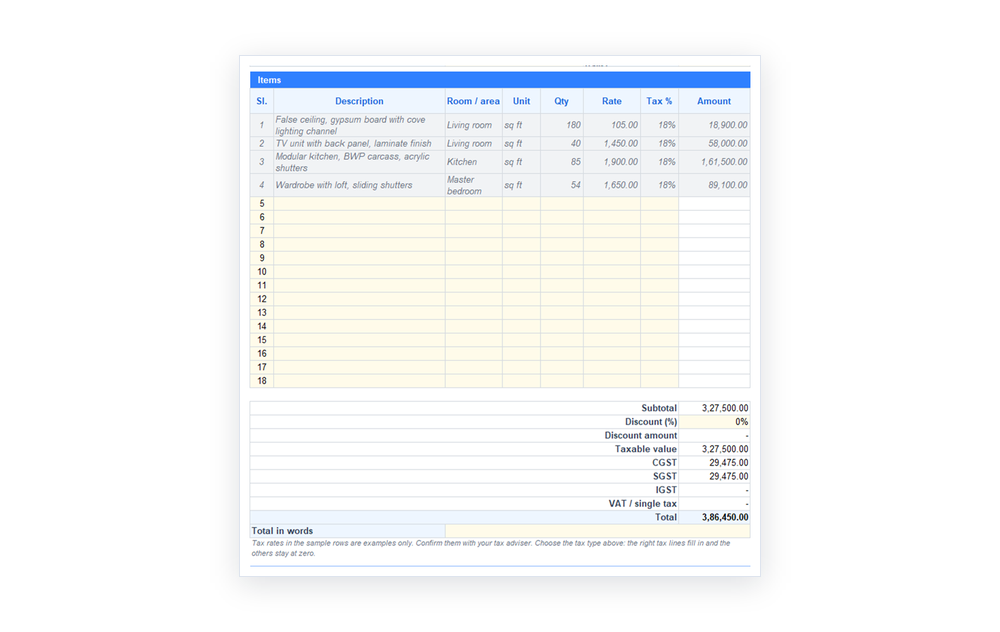 Type the room name in the Room column of each item, for example "Kitchen". The summary then adds every item with that room name and shows the total beside it. Spell the room the same way each time, because the sheet matches the text. A last line shows the value of any item whose room name does not match, so nothing is lost.
Room-wise pricing helps in three ways. The client sees where the money goes. You can drop or phase one room without re-pricing the rest. And later, when you plan material and labour, you already have the work split by space.
Price by area or by item
 Interior work is priced two ways. Area-based pricing, such as a rate per square foot of wardrobe or kitchen, suits repeatable carpentry. Item-based pricing, such as one lump sum for a TV unit or a false ceiling, suits custom pieces. The template takes both, because each line has a unit and a rate. Use square feet for a kitchen run, and "nos" for a single piece.
Write the materials specification clearly
Most interior disputes start with materials. The client expected one brand or finish and got another. The specification block fixes this before you start. Write the carcass material and thickness, the shutter finish, the hardware brand and series, the countertop, the paint brand and the flooring. Attach a sample board to the quote, and say that finishes follow the approved sample. If you change a material, record it in writing and price the difference.
What an interior quotation must include
- Your details, the client's details, and a quote number and date
- A clear scope for each room, using a scope of work that names what is in and out
- Items with unit, quantity, rate and tax
- The materials specification and the finish level
- The timeline, starting from design sign-off and the booking payment
- The payment stages, validity and warranty
Measure before you price. A site survey gives you the actual dimensions, and it reduces the gap between the quote and the final bill. If your price comes from detailed workings, keep them as an internal cost estimate.
Typical payment stages
Interior projects usually tie payments to milestones: a booking amount, then design sign-off, then material delivery, then handover. The template starts with 10%, 40%, 40% and 10% as an example, and you can change the stages and percentages. Tie each stage to something the client can see, so the next payment is easy to ask for.
Common interior quoting mistakes
- One lump sum: the client cannot see or compare the rooms.
- Vague materials: "good quality ply" means different things to different people.
- No timeline start: delays caused by the client then become your problem.
- Unpriced variations: a changed design after sign-off eats your margin.
- Missing exclusions: civil changes, electrical rework and appliances get assumed.
For tax rules on the quote, see the GST portal and the CBIC site. A 2021 survey reported that, on average, 39% of tradespeople worldwide spend more than 12 hours a week on paperwork, which is a good reason to standardise your quotes.
From template to a sales workflow
A spreadsheet prices one project at a time. When you run many enquiries, you need the survey, the quote and the follow-up in one place. In ZEP Sales, quote templates are specific to the trade, so a room-wise interior quote calculates from its own pricing logic. Each quote keeps its version history and status. A signed quote carries into ZEP Projects, so the design, the scope and the stages continue into execution. Book a ZEP360 demo to see it with your own interior pricing.
More free templates
For a general layout, use the quotation format in Excel. For related trades, see the painting quotation format and the electrical quotation format. The full guide to quotation format links to every template.
Frequently Asked Questions
Is there a free interior quotation format?
Yes. This page has a free interior quotation format in Excel. It groups items by room, totals each room, includes a materials specification and sets out the payment stages. You can edit every field.
How do I price an interior design quotation room by room?
List each item with its area or quantity and rate, and tag it with a room name. The template adds every item for that room and shows the total, so the client sees what each space costs.
What should a work quotation format include for interiors?
Include the scope per room, items with unit, quantity and rate, the materials and finish specification, tax, the total, payment stages, the timeline, validity and warranty. Add exclusions such as civil changes and appliances.
Can I use a sample quotation format for a small interior job?
Yes. For a small job, fill in a few items, one or two rooms and the total. Leave the rest blank. The template works for a single wardrobe as well as a full home.
How do I protect my margin when the design changes?
Set out in the terms that any change after design sign-off is priced and agreed in writing before work starts. Record the change as a variation and add its price to the next payment stage.
Get complete visibility of every project site.
Switch to ZEP360 and discover a unified way to manage your business.
Book a Demo