

Get complete visibility of every project site.
Switch to ZEP360 and discover a unified way to manage your business.
Book a Demo
A work order format is a standard layout for instructing work. It records who will do the job, where, by when, what the scope is and what it will cost. A clear format prevents the two most common disputes in contracting: that wasn't in the scope and we never got that instruction.
This guide shows the fields every work order needs, a sample layout, and how the format changes for a contractor order and a maintenance job. It applies to contractors and service teams in India, Australia, New Zealand and the UAE.
What is a work order?
A work order is a written instruction to carry out a specific piece of work. It names the work, the person or company doing it, the location, the timeline and the agreed price or basis of payment.
 The term covers two different documents, and mixing them up causes confusion.
- A contractor work order is issued by a client or main contractor to a contractor or subcontractor. It authorizes the work and the payment, much like a short contract. In India, searches for work order format for civil work usually mean this kind.
- A maintenance work order is an internal or service instruction to a technician. It describes a repair or a scheduled visit, and the technician records what they did.
Both share the same logic. Someone asks, someone agrees, and the work is recorded. Our glossary entries on work orders and work order management describe the maintenance side in more detail.
Work order, purchase order and invoice
Three documents often get confused. A purchase order buys goods or services from a supplier at agreed prices. A work order instructs specific work and records its completion. An invoice asks for payment once the work or delivery is done. In a well-run job, the invoice quotes the work order number, and the purchase orders for materials quote the same project. That chain lets a manager trace every dollar or rupee back to an instruction. Our guide to purchase order software covers the buying side.
Who issues and signs a work order
On a contractor order, the client or main contractor issues the document and the contractor signs to accept it. On a maintenance order, a service manager or a customer request creates it, and the technician and the customer sign when the work is done. Either way, a named person should own each order, so questions have a clear destination. For larger packages, our glossary entry on contract management is useful reading.
Best practices keep the process tidy. Write a good work order with important details in plain language, give every order a single owner, and record any change order before the extra work starts. Keep internal work in the same system as work for clients, and use one approach for construction projects and for service jobs, which keeps project management simple. Linking orders to your procurement processes means material costs flow into the invoice, and our glossary entry on procure-to-pay shows how that cycle works. For teams that look after equipment, our glossary entry on what a CMMS is explains that key elements of a CMMS often include work orders.
The fields a work order format needs
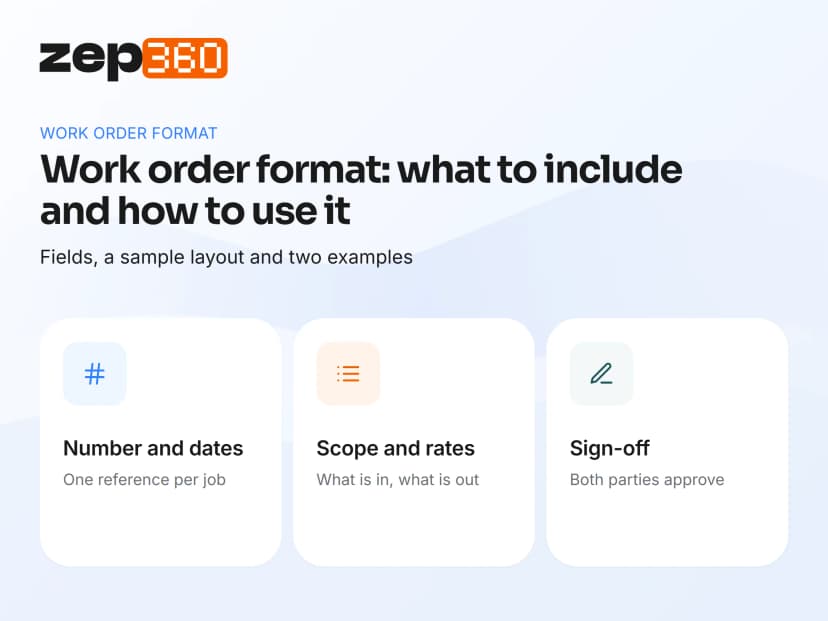
The best format is short enough to complete in minutes and complete enough to settle a dispute. Include these fields.
 Work order number: a unique reference so every discussion points to one document.
- Date issued and required-by date: the start, the deadline, and any milestones.
- Parties: who issues the order and who receives it, with contact details.
- Location: the site address or equipment location.
- Scope of work: a clear description of what's included and what isn't.
- Quantities and rates: units, rates and totals, or the basis for payment.
- Materials and equipment: what the contractor supplies and what the client supplies.
- Terms: payment terms, warranty period and any penalty or retention clause.
- Approvals: signatures or approvals from both parties.
For a maintenance order, add the equipment ID, the fault or task, the priority, the technician and the completion notes.
A good work order form starts with a unique work order number and a clear date of request. Add contact information for the service provider and the requester, and a short task description or work description that anyone can read, including a one-line description of work. Job details such as the site, the service type and the work order type (repair, inspection or installation) help project managers route each maintenance request. Include a priority level so urgent repair needs jump the queue. Material costs, labor hours and total costs belong on the order too, because they let you request payment accurately once the job is done.
A simple work order layout
You can copy this layout into a spreadsheet or a document. It works for most small contracting jobs.
| Section | What to write |
| Work order no. and date | WO-0001, issue date |
| Issued to | Contractor or technician name and contact |
| Issued by | Client or manager name and contact |
| Site or asset | Address, or equipment ID and location |
| Scope of work | Short description, plus drawings or reference documents |
| Quantity and rate | Units, rate per unit, total value |
| Start and finish dates | Planned start, planned completion |
| Materials | Who supplies what |
| Payment and retention terms | Milestones, due dates, retention |
| Completion notes | What was done, by whom, photos |
| Sign-off | Issuer and receiver signatures, dates |
Small businesses often keep a work request in Google Docs or a spreadsheet and copy it for each job. That works as a starting point. Free templates are easy to find, including a maintenance work order template, a repair work order template, an HVAC work order template, a service work order template and an inspection work order template. Pick the one closest to your work, then adapt it so that it captures the key details your team needs, such as completion status, order status and task details for each visit.
This layout is general. If you want ready-to-use versions for a general job, an installation and an AMC visit, our work order template pack includes all three.
Two worked examples
A format makes more sense with real jobs in front of it. These two illustrative examples show how the same fields change.
Example one: a civil work package. A main contractor issues work order WO-0142 to a subcontractor for the foundation work on one block. The scope lists the excavation, reinforcement and concrete items with quantities and rates from the bill of quantities. The order sets a start date, a finish date and a retention clause. Payment follows milestones, and each invoice quotes WO-0142. When the subcontractor adds an extra wall, the main contractor issues a revised order before the work starts, so the extra cost is agreed in writing.
Example two: an AMC service visit. A service team has a quarterly visit due on a customer's HVAC units. The work order names the site, lists the four units by equipment ID and carries the checklist for that unit type. The technician records arrival and departure times, adds notes and photos, and collects the customer's sign-off. The next visit appears on the schedule automatically.
Both orders answer the same questions: what, where, who, when and how much. The maintenance order adds proof of completion, and the contractor order adds payment terms.
How a work order moves from request to close
A work order only helps if the process around it works. Most jobs follow the same seven steps.
 Request: a customer, a site or a schedule creates the need.
- Approval: a manager approves the scope and the cost.
- Issue: the order goes to the contractor or technician with a number.
- Schedule: a date and an owner are set.
- Execution: the work is done and notes and photos are captured.
- Verification: the issuer checks the result and signs off.
- Billing and closure: the invoice references the work order number.
Billing is where the work order earns its keep. If the invoice cites the order number, scope disputes drop because both sides see the same document.
Track progress in real time if you can. Progress monitoring lets project managers see which maintenance tasks are open, which are waiting for parts and which are complete. A maintenance team can then handle routine maintenance and urgent jobs without losing sight of either. Property managers and maintenance departments benefit most, because they handle many requests across many sites and need clear project details for each one. Our glossary entry on maintenance management covers the wider process.
Common mistakes in work orders
Most work order problems come from a few habits. Avoid these.
 Vague scope. complete electrical work invites a dispute. List the items and the exclusions.
- No unique number. Without one, orders get lost and duplicated.
- Verbal changes. A scope change given by phone must be written into a revised order.
- Missing sign-off. An unsigned order is hard to enforce later.
- Paper copies only. Paper orders get lost, and nobody can search them.
A Tradify-sponsored survey in 2021 found that 39% of tradespeople worldwide spend more than 12 hours a week on paperwork, so a tidy format also saves time.
Paper, spreadsheet or software
Small teams can run work orders on paper or in a spreadsheet for a while. Problems appear once you have several sites, more than one technician, or customers who ask for status.
 Paper: simple, but easy to lose and impossible to track.
- Spreadsheet: searchable and cheap, but no reminders, no mobile entry and no audit trail.
- Work order management software: creates numbered orders, assigns them, tracks status and links them to invoices and customer records.
What work order management software adds
Software turns a document into a process. It numbers each order, routes it for approval, assigns it to a person, tracks its status and links it to the customer and the invoice. It also keeps a searchable history, so a dispute from last year takes minutes to settle and not days. The switch is worth considering once you spend more time chasing updates than doing the work. Read how teams compare options in our field service software buyer's guide.
Where ZEP360 fits
ZEP360 handles the full life of a job, from the enquiry and site survey to the project, the service visit and the invoice. Service tickets and scheduled visits are assigned to technicians, who record time stamps and digital reports from the field. The project and the service history share one customer record, so the instruction, the work and the proof stay together.
You can see how this works in our field service management software module.
Get a working template
If you want editable versions of these layouts, download our free work order template pack. If you want to see numbered orders, assignments and sign-offs in one system, book a ZEP360 demo.
Frequently asked questions
What is a work order format?
A work order format is a standard layout for instructing work. It lists the order number, parties, location, scope, rates, dates, terms and sign-off, so everyone agrees on the job before it starts. A consistent format prevents scope disputes.
What should a work order format include?
A work order format should include a unique number, issue and due dates, both parties, the site or asset, the scope, quantities and rates, materials, payment terms and signatures. Maintenance orders also need an equipment ID and completion notes.
What is the work order format for civil work?
A civil work order format lists the project, the contractor, the scope with quantities and rates from the bill of quantities, the dates, payment and retention terms, and approvals. It works as a short contract for each work package.
What is the difference between a work order and a purchase order?
A purchase order buys goods or services from a supplier at agreed prices. A work order instructs specific work and records its completion. Contractors often use both, and ZEP360 keeps purchases and project work on the same records.
Can I use a spreadsheet as a work order format?
Yes. A spreadsheet works for a small team with a few sites. It lacks reminders, mobile entry and an audit trail, so growing teams usually move to work order management software such as ZEP360 once jobs multiply.
How do I manage work orders across several sites?
Give every order a unique number, assign an owner, track the status in one list and close each order with notes and photos. Work order management software does this automatically and links orders to invoices.
Get complete visibility of every project site.
Switch to ZEP360 and discover a unified way to manage your business.
Book a Demo

