
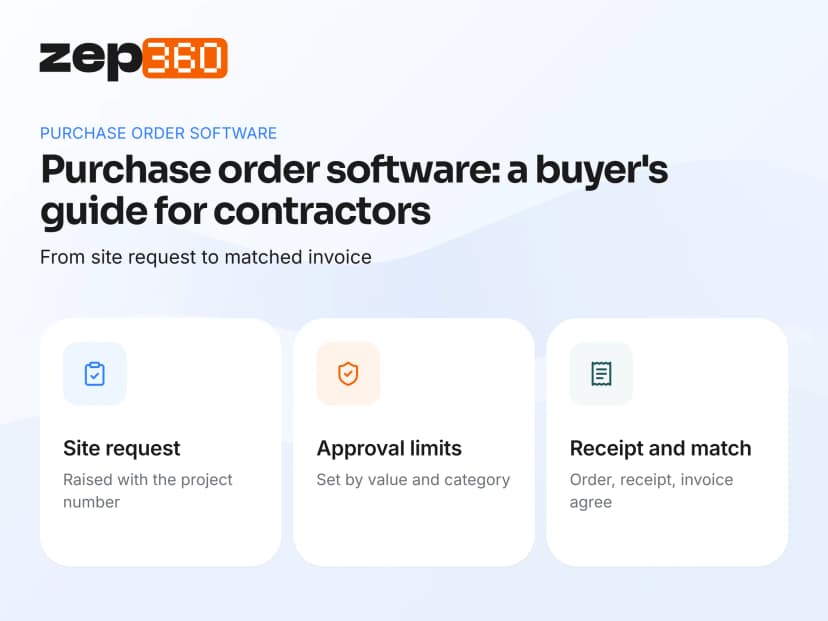

Purchase order software creates, approves and tracks purchase orders from the first request to the delivered goods. It replaces phone calls, chat messages and spreadsheets with one record that finance, stores and project managers can all see. For contractors, it also ties each purchase to the project that needs it.
This guide explains what purchase order software does, what contractors need that a generic tool lacks, and how to choose a system. It applies to firms in Australia, New Zealand, the UAE and India that buy material for sites. By the end, you'll have a feature checklist, a list of questions for vendors and a rollout plan for your site team.
What is purchase order software?
A purchase order (PO) is a document that tells a supplier what you want to buy, in what quantity and at what price. Purchase order software manages that document through its whole life. A person raises a request. A manager approves it. The system sends the order. Stores record the delivery. Finance matches the invoice. IBM's overview of procurement explains where purchase orders sit in the wider buying process.
Many buyers search for PO software or procurement software. A purchase order management tool covers PO creation, approval workflows and the whole PO lifecycle, from purchase requisitions to payment. Strong order management software also supports supplier management, vendor management and supplier relationships, because every order depends on a supplier who delivers on time. Some vendors market an enterprise procurement platform, but contractors usually need something simpler that fits site work.
Without software, each step lives somewhere different. The request is a message. The approval is a thumbs-up in a chat. The price is in a quote email. Nobody can see the whole path, and nobody can prove who approved what.
Types of purchase orders
Most businesses use four types. A standard order covers a one-off purchase with a fixed quantity and price. A blanket order covers repeat purchases from one supplier over a period. A planned order sets the terms now and the delivery dates later. A contract order links purchases to a longer agreement. Contractors mostly use standard and blanket orders, the latter for common items such as cable, pipe and fixings.
Purchase orders and procure-to-pay
A purchase order is one step in the procure-to-pay cycle, which runs from requisition to payment. IBM's guide to procure-to-pay describes the full cycle. Good purchase order software covers the middle of that cycle and connects to the stock and finance records on either side.
Why contractors need more than a generic PO tool in 2027
Retail and office buyers raise orders for a fixed list of items. Contractors buy for projects, and that changes the requirements. Every order belongs to a project, because that is where the cost lands. Requests come from the site, often in a hurry. Stock sits in several places, and a warehouse in one city can't help a site in another unless the stock is visible. Prices change, so buyers need a price history. Partial deliveries are normal, so receipts must match orders line by line.
 Manual data entry is the main source of errors. When someone retypes a request into a spreadsheet, duplicate orders and wrong quantities follow. Purchase order automation software reduces data entry, speeds up purchase order creation and gives finance teams cleaner records. An automated purchase order still needs a human approval, but the system handles the repeat work. Real time status also helps you track purchase orders without calling suppliers, which saves time on busy projects, and order automation software of this kind suits contractors who raise many small orders.
Deloitte's survey of construction firms found that one-quarter still rely mainly on paper-based systems. For site purchasing, that often means handwritten requests and no audit trail. An Australian survey reported by IT Brief found that 60 per cent of respondents used construction management cloud software, so shared records are becoming the norm.
The purchase order process, step by step
Most contractors follow this path. Software helps most when it covers every step in the same system.
Request and stock check

- Request: a site engineer or storekeeper lists the items needed, with the project number.
- Check stock: the system shows whether a warehouse already holds the item.
Step 2 is the one most teams skip. Checking existing stock first can avoid a purchase entirely. IBM's explainer on inventory management shows why a live stock view matters.
Approval and order
- Approval: a manager approves the request within set limits.
- Order: a purchase order goes to the chosen supplier.
Receipt, invoice and payment
- Receipt: stores record what arrived, and flag shortages or damage.
- Invoice match: finance compares the invoice with the order and the receipt.
- Payment: the approved invoice is paid and posted to the project cost.
The comparison in step 6 is called a three-way match: order, receipt and invoice. It stops you paying for goods that never arrived or invoices that don't match the agreed price.
A clear purchasing process lifts operational efficiency before any other change. Workflow automation can route each order to the right approver, and PO processing becomes faster when the request already carries the project number. Invoice processing also improves, because the system compares each supplier invoice with the order and the receipt. This is where AP automation links to purchasing, so accounting software receives approved, matched invoices and not loose emails. Seamless integration with your financial systems matters more than a long list of advanced features.
Features to look for in purchase order software
Feature lists look alike across vendors. These are the ones that matter on a contracting site.
- Requests linked to projects: each request carries a project number and an owner.
- Approval rules: limits and approvers you can set by value or category.
- Supplier price history: a clean vendor list with past rates for each item.
- Multi-warehouse stock view: stock by branch, and the ability to transfer before buying.
- Goods receipt: receipts matched to orders, with partial deliveries.
- Invoice matching: the order, the receipt and the invoice compared before payment.
- Spend reporting: spend by project, supplier and category.
- Mobile access: engineers and storekeepers can raise and receive on a phone.
If a product misses project linking, expect cost reports that need manual fixing.
Check the key features against your business processes, not against a vendor's brochure. Procurement workflows for a ten-person contractor differ from procurement operations in large organizations, and the best purchase order tool is the one your team actually uses. A mobile app helps site teams, and PO systems that include contract management let you link orders to supplier agreements and agreed rates. Cost savings usually come from fewer duplicate orders, better prices and less rework, not from the software fee itself.
Approval rules and limits
Approval rules protect cash without slowing the site. A common pattern lets a project manager approve small orders and sends larger ones to a director. Ask whether the limits can differ by project and by category, and whether each approval carries a time stamp.
What to compare when you choose a system
A feature chart doesn't show how a tool behaves under real use. Compare these practical points. Ask who can raise a request and whether site staff can do it with approval controls in place. Ask how approvals are recorded, because you need a time-stamped record and not a chat reply. Check what happens to part deliveries, and whether the order stays open until everything arrives. Ask how purchases post to project costs. Look for separate stock and requests for each warehouse. Most contractors also want purchasing connected to inventory and projects, so the order updates stock and the project budget together.
Cost and pricing
Vendors price per user, per order or per site, and some add setup charges. Compare per-user fees, setup charges and what each plan includes, such as approval rules and multi-warehouse support. Ask whether the price changes when you add a project or a branch. You can review how one vendor structures plans on the ZEP360 pricing page.
How to roll out purchase order software
A new purchasing system fails when people keep using the old habits. A short, staged rollout avoids that. Use these steps.

- Clean the item list first. Merge duplicates and give every item one name, one unit and one price.
- Set approval limits. Decide who approves what, by value and by category, before anyone raises an order.
- Start with one project or branch. Prove the flow on a small scale and fix the rough edges.
- Train the site team. Engineers and storekeepers raise and receive most requests, so they need the first hour of training.
- Retire the side channels. Tell suppliers and staff that only orders in the system count.
- Review after 30 days. Compare late deliveries, unapproved purchases and stock shortages with the month before.
Track order processing in your first month so you can show the gains. Count how many orders pass through the system, how long approval takes and how many procurement processes still run outside it. These figures help you win support from skeptical managers.
Metrics worth tracking
A few numbers show whether purchasing is improving. Track them monthly and share them with project managers.

- Orders raised without a project number should fall to zero.
- The average time from request to approval shows whether a rule is too tight or an approver is overloaded.
- Late deliveries are the share of orders that arrive after the date a site needs them.
- Stock-outs on site count the times a job waits for material.
- Write-offs measure the quantity and value of damaged or expired stock, with reasons.
These measures also give you evidence when you negotiate with suppliers, because you can show delivery performance by name.
Common purchasing problems and fixes
Most purchasing trouble has a simple cause. Each of these has a practical fix.
- Duplicate item names mean one item appears under three names and three prices, so keep one catalogue that every branch uses.
- Last-minute buying means teams discover shortages on the day of the job, so link project plans to material requests early.
- Approvals in side chats leave nobody able to show who agreed, so approve inside the system.
- Unexplained stock losses happen when damaged items vanish without a record, so log every write-off with a reason and a sign-off.
- Price surprises happen when a supplier changes a rate and nobody notices, so compare each order with the last price paid.
IBM's overview of supply chain management shows how these small fixes add up across a business.
Where ZEP Inventory fits
ZEP Inventory is the inventory and procurement module of ZEP360. It gives stores, procurement and project teams one shared set of records, so every item has a name, a place, a price and a paper trail.
A site engineer raises a request from the project's Store & Orders tab, and the request reaches the right warehouse with the project number attached. Each request carries an ID, an owner and a status such as Pending, Approved or Accepted. Storekeepers work from a queue and mark each request Accepted, Fulfilled or Back Order. Write-offs need a reason and a sign-off.
You can read more about our warehouse inventory management software, and how it connects to ZEP Projects for site costs. For a view of the whole business, see our guide to construction ERP software, and Oracle's guide to what procurement is for a vendor perspective.
See a site request become an order. If your site requests still arrive as messages, a short demo will show how a request, an approval and a delivery live in one record. Book a ZEP360 demo and bring a recent purchase.
Frequently asked questions
What is purchase order software?
Purchase order software creates, approves and tracks purchase orders from request to delivery and invoice. It gives finance, stores and project teams one shared record. ZEP Inventory links each request to a project and a warehouse.
What features should purchase order software have?
It should link requests to projects, set approval rules, keep supplier records and price history, show stock by warehouse, match receipts to orders and report spend. ZEP Inventory covers project requests, approvals and warehouse queues.
How does purchase order software help contractors?
It ties every purchase to the project that needs it, so costs land in the right place. It also shows existing stock before you buy. ZEP Inventory keeps requests, stock and project records in sync.
What is the difference between a purchase order system and inventory software?
A purchase order system manages the buying process, from request to supplier order. Inventory software manages the stock you hold. Contractors need both connected, so a received order updates stock automatically. ZEP360 runs both on shared records.
Can purchase order software handle several warehouses?
Yes, if it keeps stock and requests separately for each branch. You should switch between warehouses in one click and see what each one holds before you buy. ZEP Inventory gives every warehouse its own view and queue.
How much does purchase order software cost?
Pricing varies by vendor. Most charge per user each month, and some add setup or training fees. Compare what each plan includes, such as approval rules and multi-warehouse support. You can review ZEP360 plans on our pricing page.


