Lead Management in a CRM: From First Contact to Closed Deal
A CRM pipeline is only useful if it reflects how a deal actually moves — not a generic template nobody bothered to customize. Most "leads are falling through the cracks" problems trace back to a pipeline that doesn't match the real sales process, not a lack of effort from the sales team.
This guide breaks down how pipeline stages should work, how leads get qualified and assigned, and where automated follow-ups make the difference between a lead that closes and one that goes quiet.
What a CRM Pipeline Actually Tracks
A pipeline is a series of stages a lead moves through, each representing a real decision point — not just a label. Every stage should answer one question: what has to happen for this lead to move to the next stage, and who is responsible for making that happen.
Typical Pipeline Stages, Stage by Stage
- 1.New — a lead has come in, but nobody has made contact yet.
- 2.Contacted — first outreach has happened, waiting on a response.
- 3.Qualified — the lead has a real budget, timeline, and need.
- 4.Quoted — a proposal or quote has gone out.
- 5.Negotiation — the customer is reviewing terms or asking for changes.
- 6.Won / Lost — the deal is closed, one way or the other.
Most pipelines fail not because they're missing a stage, but because they have too many — a 12-stage pipeline gets ignored the same way a 12-step form does.
Qualifying a Lead Before It Wastes Anyone's Time
Qualification exists to stop a salesperson from spending three follow-ups on someone who was never going to buy. A short, consistent qualification checklist — budget, authority, need, timeline — filters this out early, before it clutters the pipeline.
Auto-Assigning Leads Instead of First-Come-First-Served
Manually assigning leads means whoever checks their inbox first gets the best ones, and leads that come in overnight sit untouched until morning. Rule-based assignment — by territory, product line, or current workload — spreads leads fairly and gets a response moving faster.
Automating Follow-Ups Without Sounding Like a Robot
Most lost deals aren't lost to a competitor — they're lost to silence after the first call. Automated follow-up reminders don't send the message for you; they make sure a human remembers to before the lead goes cold.
- •A reminder fires if a lead hasn't been contacted within 24 hours of coming in.
- •A nudge goes to the assigned salesperson if a quoted deal has had no activity in 5 days.
- •A manager gets flagged if a deal has sat in the same stage for longer than it should.
How ZEP360 Handles Lead Management
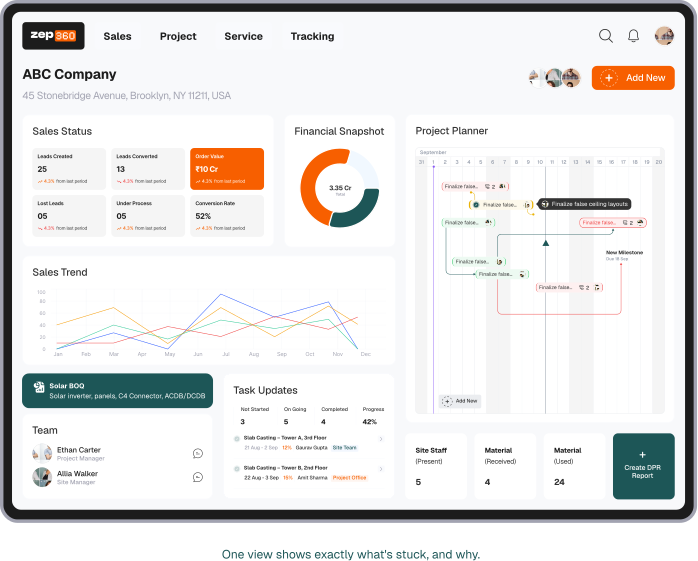
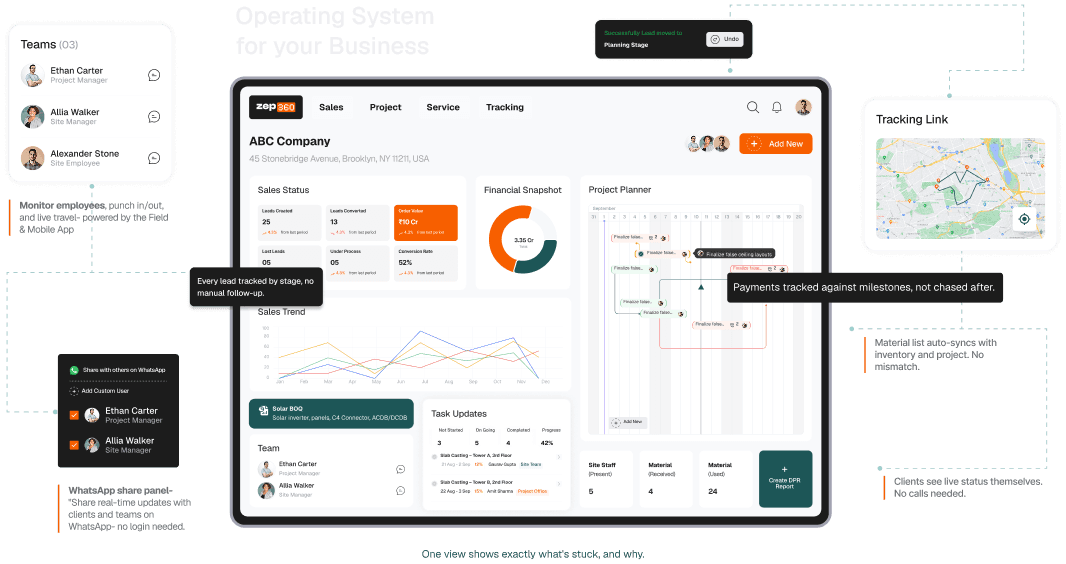
ZEP360's pipeline is built to be customized to how a business actually sells, not forced into a generic default — with auto-assignment, follow-up reminders, and stage-change alerts wired in from the start so a lead's status is always one click away instead of a guess.
Frequently Asked Questions
How many pipeline stages should we actually use?
Most teams do best with five to seven stages. More than that and the pipeline becomes harder to keep updated than the process it's supposed to simplify.
Can leads be reassigned after they've been auto-assigned?
Yes — auto-assignment sets a starting point, not a lock. A manager can reassign a lead manually at any point if workload or territory needs to shift.
What should happen to leads marked as "Lost"?
They shouldn't disappear. Keeping lost leads with a reason logged lets a team revisit them later — a lead lost to "bad timing" six months ago is often worth a second follow-up.